 Managed IT Services
 Business Continuity (BCDR)
 Cloud Telephony
 Managed Infrastructure
 Microsoft Azure
 Microsoft Teams Phone
 Cyber Security Services
 Microsoft 365 For Business
 Brisbane
 Aviation
 Healthcare
 Field Service
 Finance
 Manufacturing
 Small Business
 Legal
Legal Travel
Managed IT Services for Small Business: Costs, Benefits & What to Expect
July 24, 2026by Levit8 IT Solutions

If you run a small business, technology probably is not the reason you got into business in the first place, but it has become the thing that keeps it running. Your point-of-sale system, email, file storage, and customer data all depend on IT infrastructure operating in the background.
The problem is, “operating in the background” only lasts until it does not. For many small businesses, IT support still means calling someone after something has already gone wrong.
Managed IT services for small businesses provide proactive technology support, cybersecurity, and ongoing maintenance that help growing businesses reduce downtime and control IT costs.
This guide walks through what managed IT actually is, what it costs, what it includes, and how to know when your business is ready to make the switch.
What Are Managed IT Services for Small Businesses?
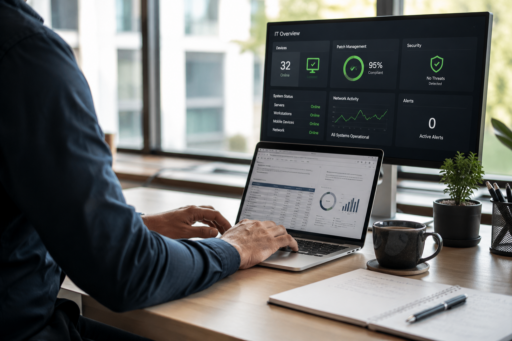
Managed IT services are an ongoing, proactive arrangement where an external provider takes responsibility for monitoring, maintaining, and supporting a business’s technology, usually for a fixed monthly fee.
For many small businesses, partnering with a managed service provider (MSP) is often more cost-effective than hiring a full-time internal IT employee, while still providing access to a wider range of technical expertise.
Unlike traditional break-fix IT support, where assistance is only provided after something goes wrong, managed IT services focus on preventing issues through continuous monitoring, maintenance, and strategic planning.
Instead of waiting for a laptop to crash or a server to go down, a managed IT provider continuously monitors your environment, applies updates, patches vulnerabilities, and often detects issues before employees even notice them. For example, a failing hard drive or an outdated security patch can often be identified and resolved before it causes costly downtime.
For a deeper breakdown of how this model works, read our guide on what managed IT services are.
Break-Fix IT vs Managed IT at a Glance
| Break-Fix IT | Managed IT |
|---|---|
| Reactive | Proactive |
| Pay when something breaks | Predictable monthly fee |
| Downtime first | Prevention first |
| Limited monitoring | Continuous monitoring |
Why Small Businesses Choose Managed IT Services
Managed IT services for small businesses are not simply a trend. They are a response to several common challenges that small business owners face.
1. Limited Internal Resources
In most small businesses, there is no dedicated IT department. There is a manager, office coordinator, or even the owner quietly wearing an “IT person” hat on top of their actual job.
That works until something genuinely technical comes up, such as a ransomware alert, server migration, or compliance audit. Managed IT gives small teams access to specialist skills they simply do not have in-house.
2. Cybersecurity Threats
Small businesses are increasingly targeted by cybercriminals, not despite their size, but because of it. Smaller businesses are often assumed to have weaker defences than large enterprises, making them an easier target.
A managed service for small business typically includes the layered security controls most small and medium businesses cannot build or maintain alone.
Learn more about the benefits of managed IT services and how proactive security helps reduce business risk.
3. Costly Downtime
An hour of system downtime does not just cost lost productivity. It can mean missed sales, delayed client work, and damage to your reputation.
For a small business operating on tight margins, repeated downtime adds up fast, both financially and in terms of customer trust.
4. Predictable Budgeting
Ad-hoc IT repairs are unpredictable by nature. You do not know what is going to break, when it will happen, or how much it will cost to fix.
Managed IT shifts this from a reactive, unpredictable capital expense to a fixed, predictable monthly operating cost that is far easier to plan around.
If you are comparing providers, understanding how much managed IT services cost in Australia can help you evaluate pricing models and what is included in each plan.
5. Scalability
As a small business grows through new hires, locations, and tools, its technology needs to grow with it.
Managed IT services are built to scale, adding users, devices, and capabilities without the business having to reinvent its IT setup every time it grows.
What Is Included in Managed IT Services for Small Businesses?
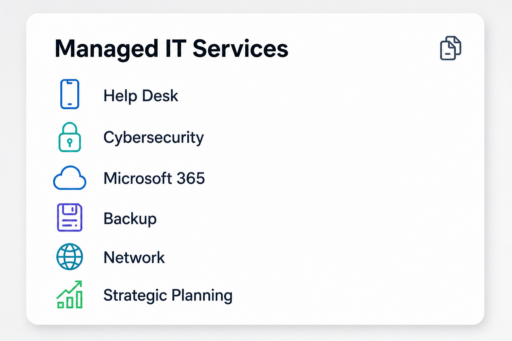
The exact scope varies by provider, but most managed IT services for small business packages are built around a similar core structure:
- 24/7 Monitoring and Helpdesk Support: Continuous system monitoring paired with a helpdesk your team can contact when something is not working, day or night.
- Network Management and Data Backups: Ongoing management of routers, firewalls, and internal networks, alongside automated and regularly tested data backups.
- Cybersecurity Controls: Multi-factor authentication, endpoint protection, email security, vulnerability management, and user security awareness training.
- Cloud Infrastructure and Microsoft 365 Administration: Setup, licensing, and day-to-day administration of cloud platforms and productivity tools such as Microsoft 365.
- Strategic IT Consulting and vCIO Services: Access to a virtual Chief Information Officer who helps align your technology roadmap with your business goals.
Together, these services help small businesses reduce downtime, strengthen cybersecurity, and keep technology aligned with day-to-day business operations.
Learn more about what is and is not included in managed IT services.
How Much Do Managed IT Services Cost?
Cost is usually the first question small business owners ask, and reasonably so, since budget certainty is one of the biggest draws of the managed model.
Most providers price managed IT using one of two structures:
- Per-User Pricing: A flat monthly fee per employee, covering their devices and access. This is the most common model for small, cloud-first businesses because it scales cleanly as headcount changes.
- Per-Device Pricing: A flat fee per laptop, desktop, server, or other supported device. This can suit businesses with more infrastructure than staff.
For most small businesses with roughly 5 to 25 staff, per-user pricing typically lands in the $70 to $150 per user, per month range, depending on the depth of cybersecurity coverage, support hours, and infrastructure complexity involved.
Businesses with heavier compliance or security requirements tend to sit toward the higher end of that range.
Factors That Affect Managed IT Pricing
- Number of users and devices requiring support
- Cybersecurity requirements, such as endpoint protection and multi-factor authentication
- Microsoft 365 licensing and cloud infrastructure
- Industry compliance requirements
- Support hours and service level agreements
- Additional services such as backups, disaster recovery, and strategic IT consulting
The more users, locations, compliance requirements, or specialised systems your business has, the more comprehensive your managed IT solution is likely to be.
It is also worth remembering that the cheapest quote is not always the best value. A lower monthly rate can sometimes mean thinner security coverage or capped support hours, with the difference appearing later as separate billable add-ons.
When comparing quotes, ask exactly what is included in the base rate versus what is billed as a project or add-on. Cloud migrations, hardware procurement, and after-hours emergency support are common areas where pricing structures differ between providers.
For a full breakdown of what drives pricing up or down, read our detailed guide on how much managed IT services cost in Australia.
Benefits of Managed IT Services for Small Business
Predictable IT costs are one of the biggest reasons businesses choose managed IT services, but they are only part of the value.
1. Improved Productivity and Reduced Downtime
When systems are proactively maintained, employees spend less time dealing with slow computers, failed logins, or software glitches, and more time doing their jobs.
Fewer disruptions mean fewer small, cumulative productivity losses that are easy to overlook but expensive in aggregate.
2. Enhanced Cybersecurity and Risk Mitigation
The best managed IT services for small business include cybersecurity as a core part of the service rather than treating it as an optional add-on.
That typically means proactive patching, endpoint detection, and ongoing monitoring, all working to reduce the chance of a costly breach before it happens.
This proactive approach also helps businesses meet cyber insurance requirements and reduce the likelihood of ransomware attacks, phishing incidents, and data breaches.
3. Long-Term Business Growth and Technology Alignment
A good managed IT provider does not just keep the lights on. They help plan ahead.
Through regular strategic reviews, a vCIO can help ensure technology decisions such as new software, infrastructure, and integrations support where the business is heading rather than being made reactively under pressure.
4. Regulatory Compliance and Data Protection
For small businesses handling sensitive customer data in retail, healthcare, professional services, or finance, compliance obligations are becoming harder to ignore.
Managed IT providers typically build compliance-aligned practices such as access controls, audit logging, and data handling policies directly into their service.
5. Business Continuity and Disaster Recovery Planning
Things still go wrong, even with strong preventative measures. Hardware can fail, severe weather can disrupt operations, and accidental deletions happen.
A managed IT provider ensures your business has tested backups and a disaster recovery plan, helping restore systems quickly and minimise operational disruption.
Business continuity planning is often included in managed IT agreements, but the level of coverage varies between providers.
Managed IT vs Hiring Internal IT
For many small businesses, the real decision is not managed IT or nothing. It is managed IT versus hiring someone internally.
| Factor | Managed IT Services | Internal IT Hire |
|---|---|---|
| Annual Cost and Overhead | Predictable monthly fee with no recruitment or benefits costs | Salary of approximately $80,000 to $120,000 or more, plus super, leave, training, and equipment |
| Depth of Expertise | Access to a full team with varied specialisations | Limited to one person’s skill set and experience |
| Availability | Typically 24/7/365 coverage | Usually business hours only, with gaps during leave or sick days |
| Strategic Planning | Regular technology reviews and vCIO guidance | Depends on the individual’s experience and available time |
| Scalability and Tooling | Enterprise-grade tools and scalable support included | Requires separate investment in tools, licensing, and training |
| Cybersecurity | Typically included | Depends on the employee’s experience |
In practice, a single internal IT hire, however capable, is still one person. They cannot be on call around the clock or specialise in every domain from networking to cybersecurity and cloud administration.
A managed service for small business gives you access to an entire team’s collective expertise, redundancy for coverage gaps, and tooling that would be expensive to license and maintain independently.
Another consideration is staff continuity. If your internal IT hire leaves, the business can be left with a knowledge gap and an urgent recruitment problem. A managed provider’s institutional knowledge remains with the business regardless of individual staff turnover.
Compare the options in our In-House IT vs MSP guide.
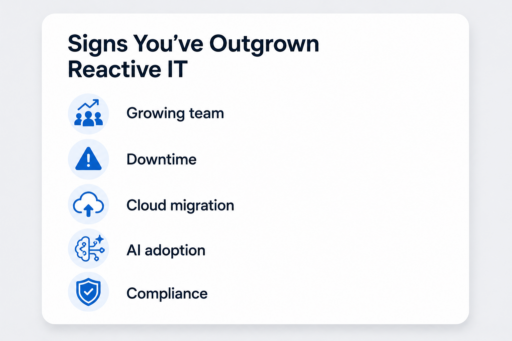
When Is the Right Time for a Small Business to Switch to Managed IT Services?
There is rarely a single dramatic moment that signals it is time to switch. It is usually a build-up of smaller signs.
- A growing team: Moving from 5 to 15 or more employees quickly outpaces what informal IT support can realistically manage.
- Recurring technology issues: If the same problems keep returning or quick fixes are not lasting, reactive support may not be addressing the underlying cause.
- Moving to Microsoft 365 or the cloud: Cloud migrations introduce licensing, data governance, and configuration requirements that benefit from experienced support.
- Adopting AI tools: Microsoft Copilot, ChatGPT, and other cloud platforms introduce stronger governance and security requirements. Learn why businesses using AI tools still need managed IT services.
- Growing concerns about data privacy, compliance, or cyber insurance: Many cyber insurance policies now require documented security controls that are easier to demonstrate with a managed IT provider already in place.
If several of these situations sound familiar, it is a strong indication that your business has outgrown reactive IT support and could benefit from a proactive managed IT approach.
How to Choose a Managed IT Provider
Not all managed IT providers are created equal, and the wrong fit can be just as frustrating as having no support at all.
When evaluating providers, look closely at:
- SLA Guarantees: Clear, written service level agreements outlining response and resolution times.
- Response Times: Ask about average first-response and resolution times, not only the headline SLA.
- Industry Experience: A provider who understands your industry’s compliance and operational requirements will usually deliver more relevant support.
- Proactive Culture: Look for regular reporting, patching schedules, and security reviews, not only reactive ticket resolution.
Choosing the right partner is arguably a bigger decision than choosing the lowest price. For a complete evaluation framework, read our guide on what to look for when selecting managed IT services.
Frequently Asked Questions
Are managed IT services worth it for small businesses?
For most small businesses that rely on technology daily, yes. The combination of predictable costs, proactive maintenance, and stronger cybersecurity typically outweighs the monthly fee, especially once the cost of a significant outage or breach is considered.
What is the difference between managed IT and break-fix support?
Break-fix support is reactive. You are billed when something breaks and needs fixing, with no ongoing monitoring in between. Managed IT is proactive, providing continuous monitoring, maintenance, and security for a fixed monthly fee.
Our guide on what managed IT services are explains the proactive model in more detail.
Can a small business keep internal staff while hiring a managed service provider?
Yes. This is known as co-managed IT. It allows a business to keep an internal IT person or team for day-to-day needs while a managed provider supplements them with specialist expertise, after-hours coverage, and enterprise-grade tooling.
How long does it take to onboard with a new managed IT provider?
Onboarding timelines vary depending on the size and complexity of the business, but most small business onboarding, including systems assessment, documentation, and setup, is typically completed within two to four weeks.
Do managed IT services include cybersecurity?
Yes. Most managed IT providers include core cybersecurity services such as endpoint protection, multi-factor authentication, patch management, monitoring, and user security awareness training. Advanced services may include security operations, vulnerability management, and compliance support.
Managed IT Support Built for Small Business Growth
Managed IT services are not only for large enterprises. For many small businesses, they provide predictable IT costs, proactive support, stronger cybersecurity, and access to experienced specialists without the expense of building an internal IT team.
Whether you are comparing providers or simply wondering whether managed IT is the right fit, speaking with an experienced team can help you understand your options before making a decision.
Author
Levit8 IT Solutions
Levit8 is a leading Australian managed IT services provider, helping businesses across industries improve performance, boost security, and scale confidently through smart, reliable technology. With a passion for efficiency, security, and client success, our local team delivers expert support, enterprise-grade solutions, and a no-nonsense approach to IT. We empower small and mid-sized businesses with future-proof systems, robust cybersecurity, and seamless support—so technology becomes an asset, not a headache.